
Import without friction
Choose a local .css or .user.css file, paste CSS directly, or review a style from a URL before installing it.
Safari-first UserCSS manager
Import plain CSS and UserCSS themes, tune their variables, and make the sites you use feel like yours—without handing over your browsing history.
A proper home for your CSS
StylePort brings a proven UserCSS engine to Safari and reshapes the experience around clarity, reliability, and WebKit.
Choose a local .css or .user.css file, paste CSS directly, or review a style from a URL before installing it.
Adjust colors, ranges, toggles, select menus, text, and image variables exposed by UserCSS themes.
Match styles to domains, URLs, URL prefixes, and regular expressions with the mature Stylus matching engine.
Enable, disable, edit, reorder, back up, restore, and update styles from one focused library.
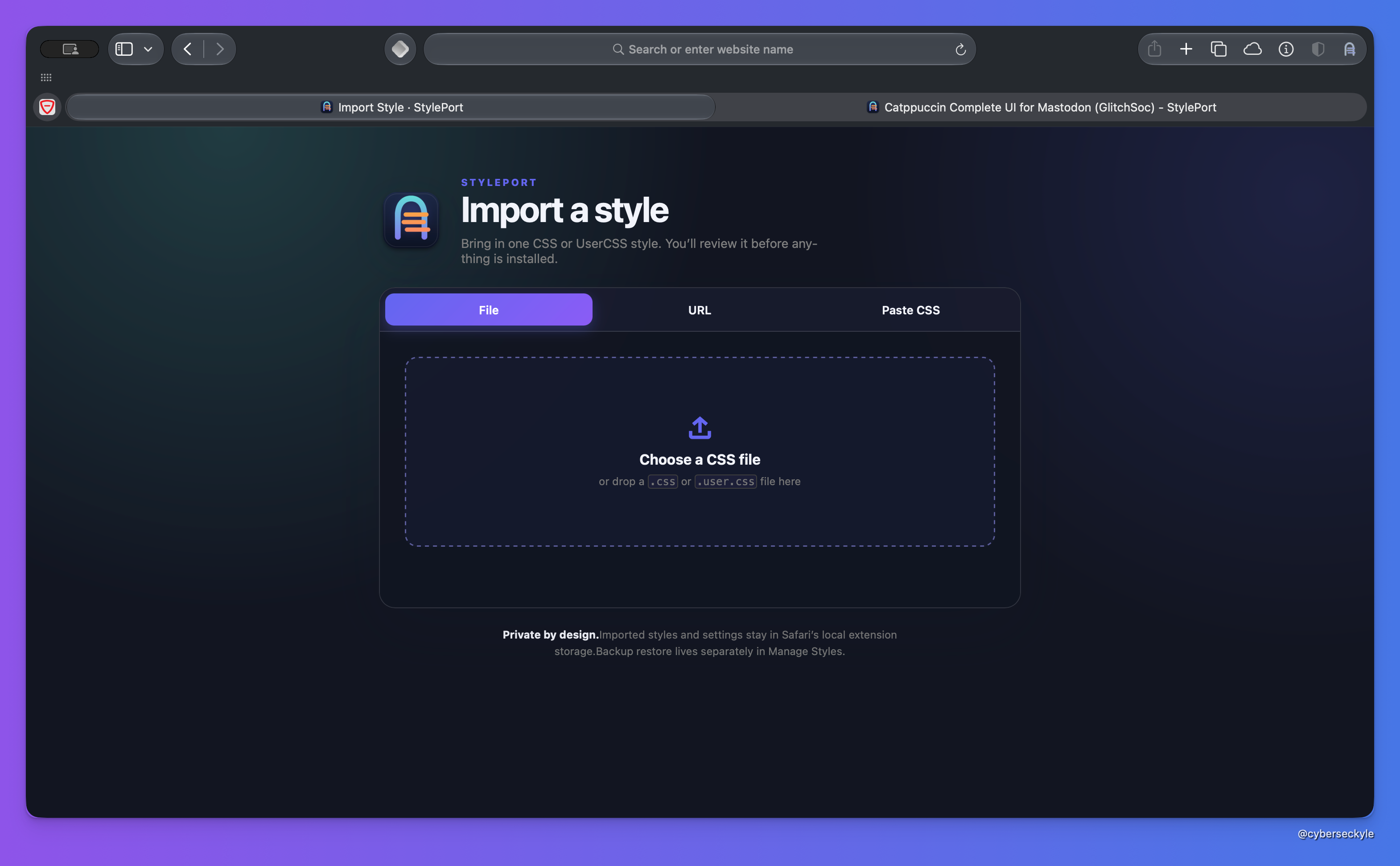
One import door
One deliberate import flow replaces scattered upload actions. Every style is reviewed before installation, whether it came from your Mac or a URL you supplied.
Private by design
Your styles and settings stay in Safari extension storage on your Mac.
No analytics, advertising, tracking, telemetry, or StylePort account.
Website permission is used only to match and apply the styles you choose.
Simple on purpose
No subscription, no premium feature gate, and no separate plans to decode.
For everyone, with every feature.
Make a voluntary one-time contribution toward signing, hosting, testing, and continued development. Support never unlocks a different edition—the whole app stays free.
Support StylePortVersion 1.0 for macOS
StylePort is being tested and prepared for Developer ID signing and Apple notarization. Public downloads will open after those release checks are complete.